Skip to content

Creator OS

Build a repeatable content pipeline from idea capture to review, publishing, and repurposing.

$59 $89 one-time · lifetime access
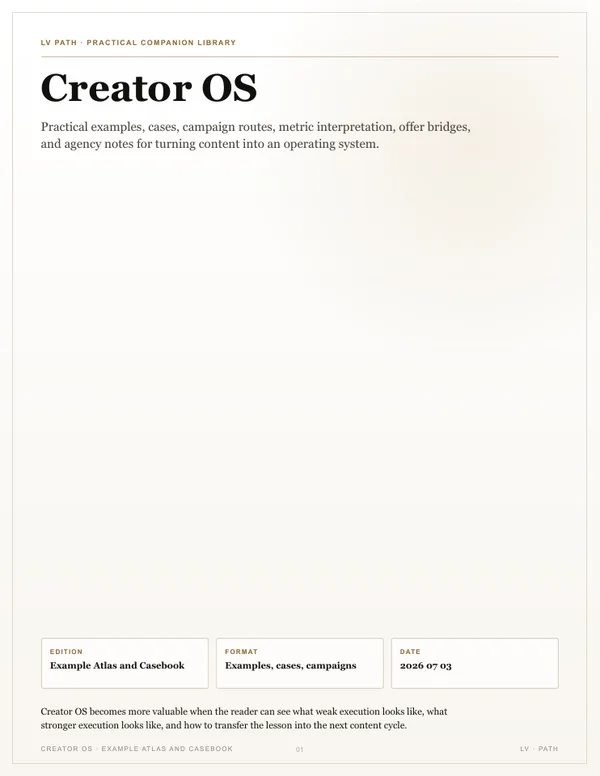
Creator OS cover
  • 102pages · LV book
  • 81pages · light edition
  • 55pages · casebook
  • 6visual maps

The shift

From a bottleneck to a system you can repeat

Now

Most creators treat every video and post as a blank page, so output is slow, quality swings wildly, and almost nothing converts. Creating reactively instead of running a system leaves growth and income on the table.

After the sprint

In 30 days you will have a weekly operating path, hook and script standards, a quality gate, and a rulebook that removes avoidable decisions.

Best fit

You have expertise and ideas, but every asset still starts from zero or depends on last-minute energy.

Not the fit

It does not create content for you or promise views, followers, or revenue.

The mechanics

Understand why it works before you copy the system

The 102-page main book teaches the logic, psychology, application, and limits. Templates come after understanding.

Creator OS The content system inside.
01

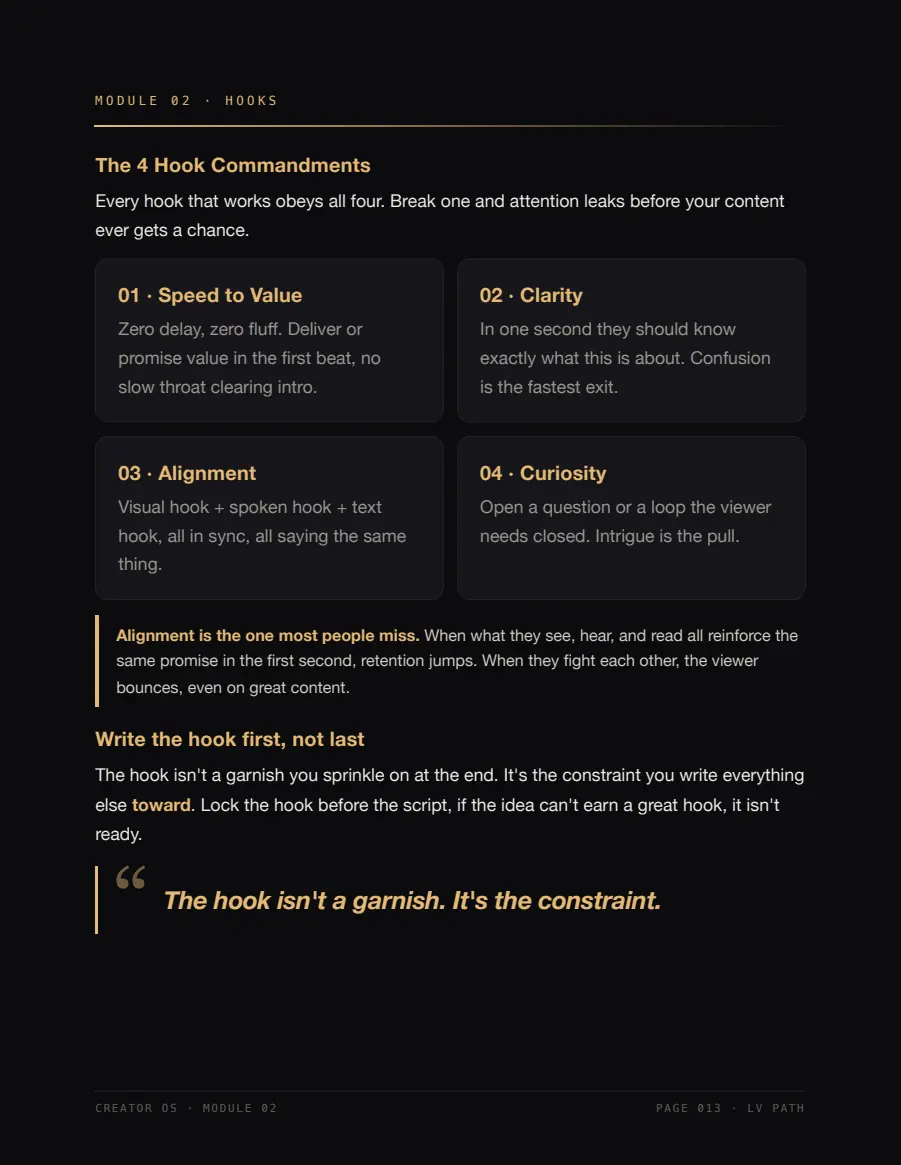
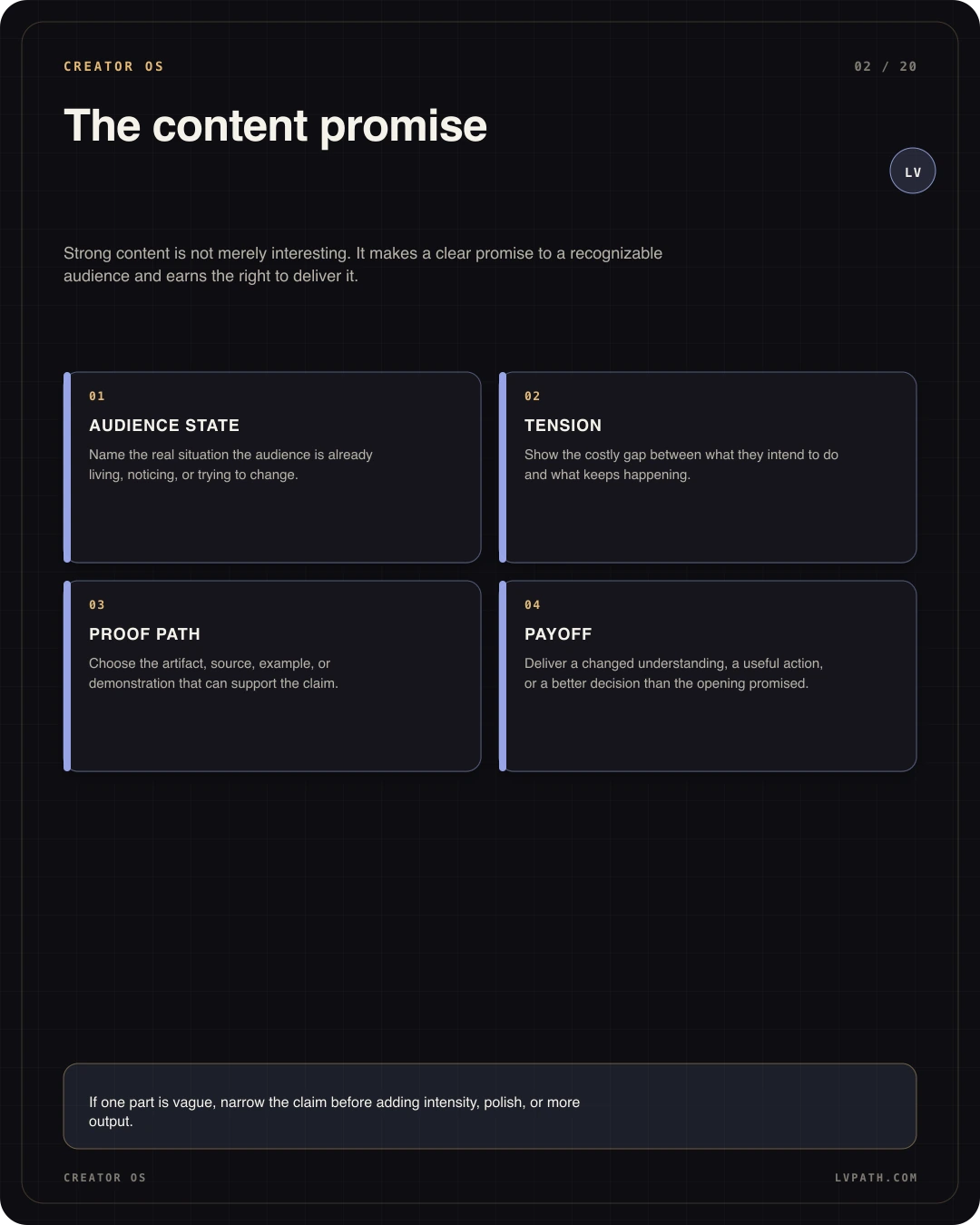
Attention psychology

How tension, specificity, curiosity, and proof determine whether an idea earns real time.

02

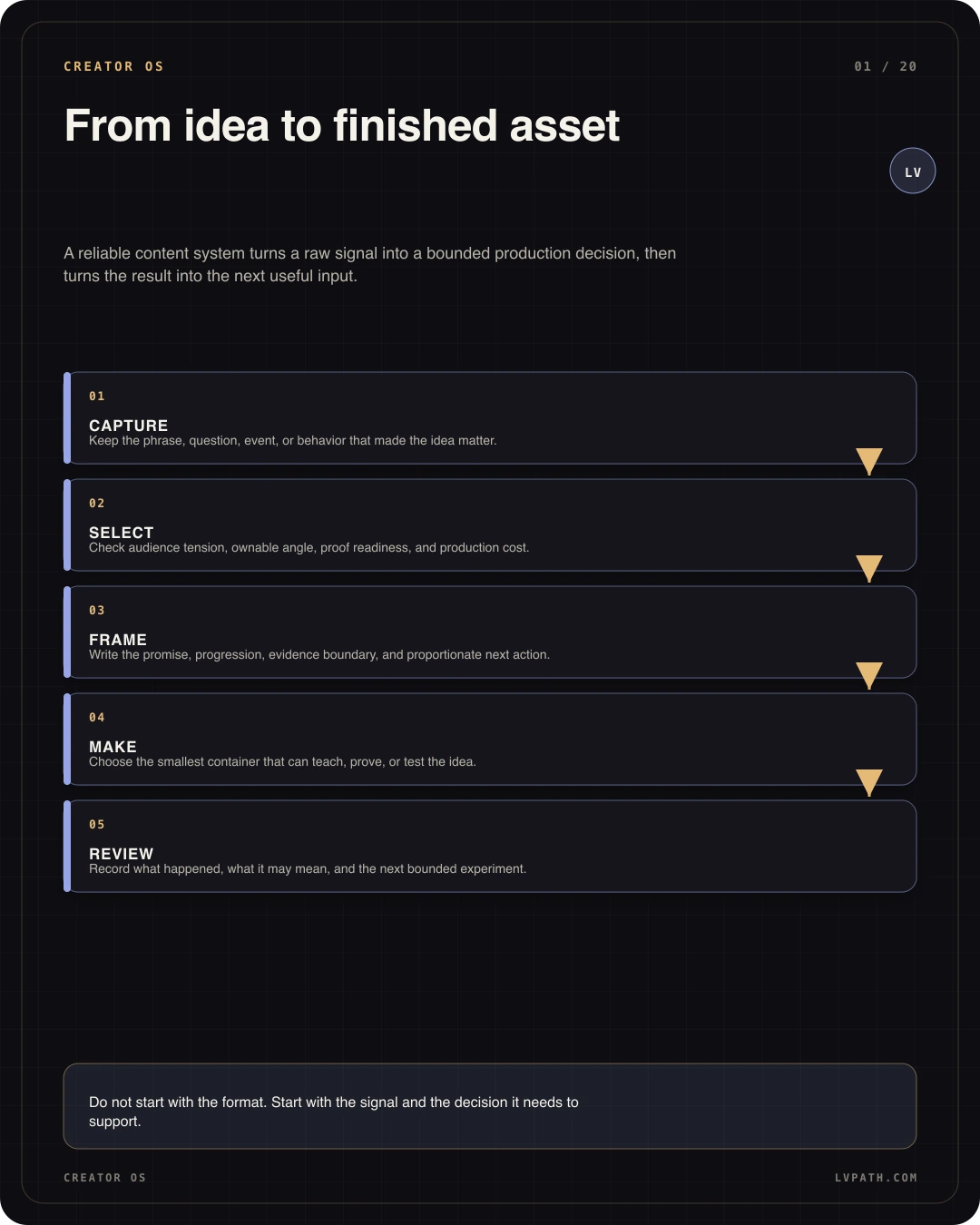
Idea-to-asset system

How to capture signals, select by evidence, and produce without returning to a blank page.

03

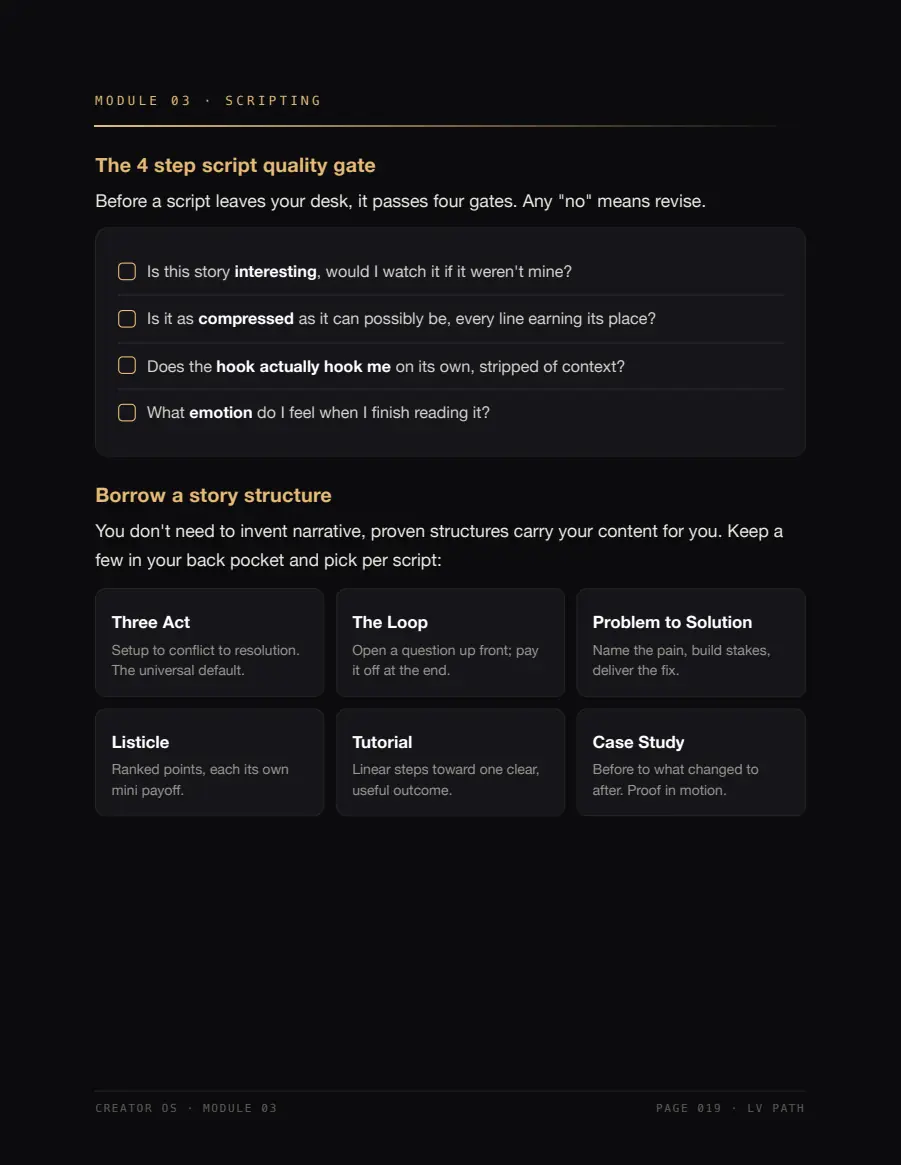
Quality standards

How to review hooks, scripts, retention, credibility, and CTA with observable criteria.

04

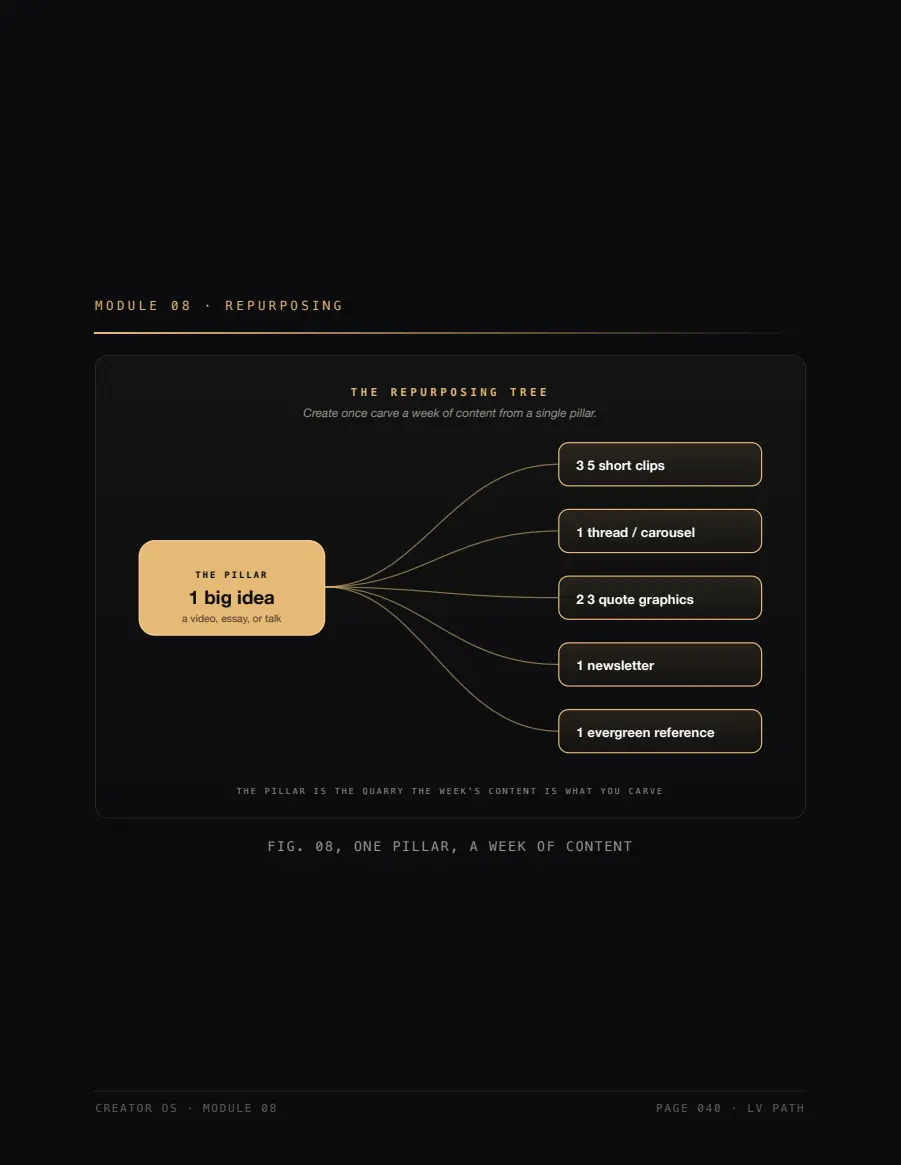
Leverage and conversion

How to repurpose by channel job and connect content to a proportionate offer.

Operating path

Your first 30-day cycle

  1. 01

    Days 1-7

    Diagnose

    Audit the workflow and install one capture rail.

  2. 02

    Days 8-22

    Build

    Choose formats, install patterns, and create the quality gate.

  3. 03

    Days 23-30

    Systemize

    Repurpose with intent and write the weekly rulebook.

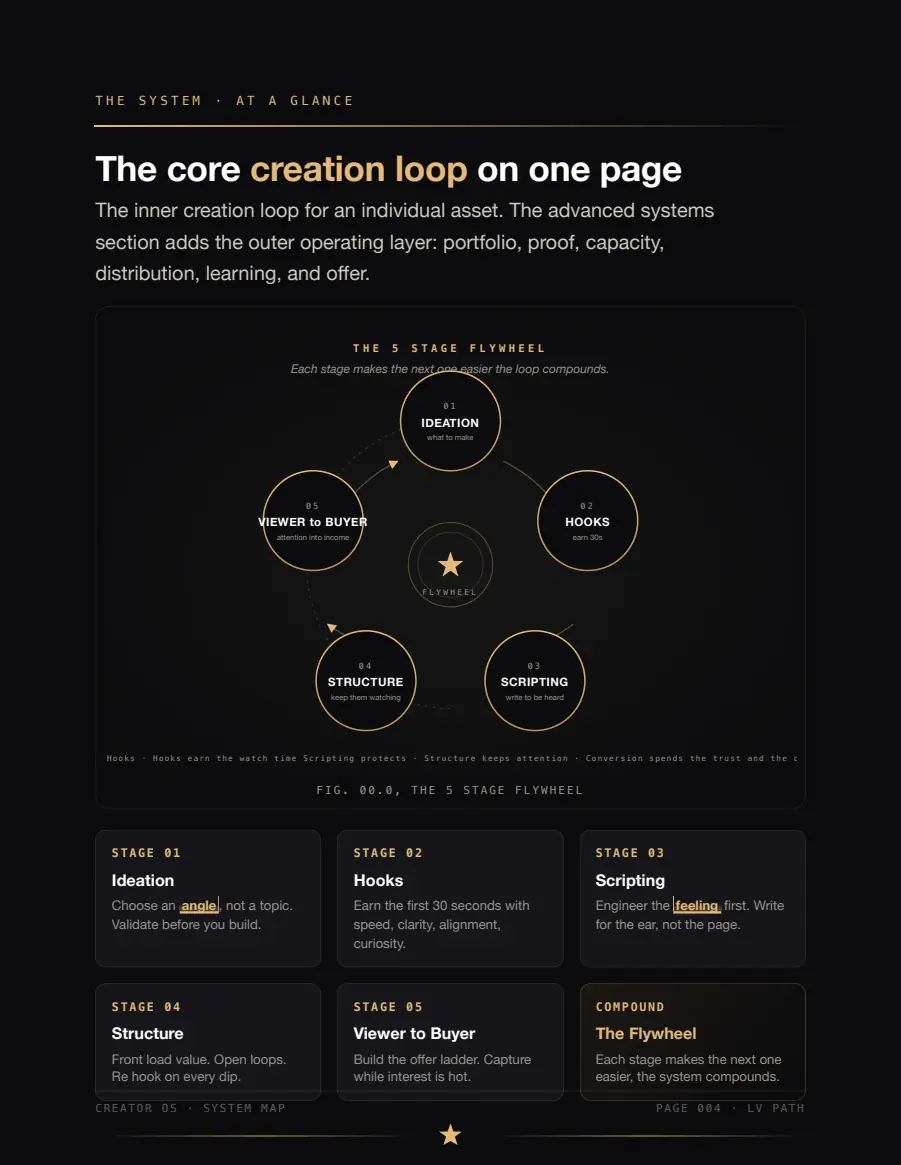
Capture signals Select by evidence Produce to a standard Review and learn
Creator OS From loose idea to publishable asset.

Before and after

The book teaches decisions, not lines to copy

Weak version

“Tips for creators”

It names the category but reveals no tension, mechanism, or consequence.

Stronger version

“Why capable creators still rebuild every post from zero.”

It names the material problem, makes the change visible, and opens a proof path.

Three reading modes

The same strategy, designed for different contexts

The LV edition creates energy and memory. The light edition supports long study and print. The casebook turns principles into visible decisions.

Creator OS Definitive LV edition
01 · 102 pages

Definitive LV edition

Creator OS Professional light edition
02 · 81 pages

Professional light edition

Creator OS Annotated casebook
03 · 55 pages

Annotated casebook

Customer kit

A clear path, not a folder full of noise

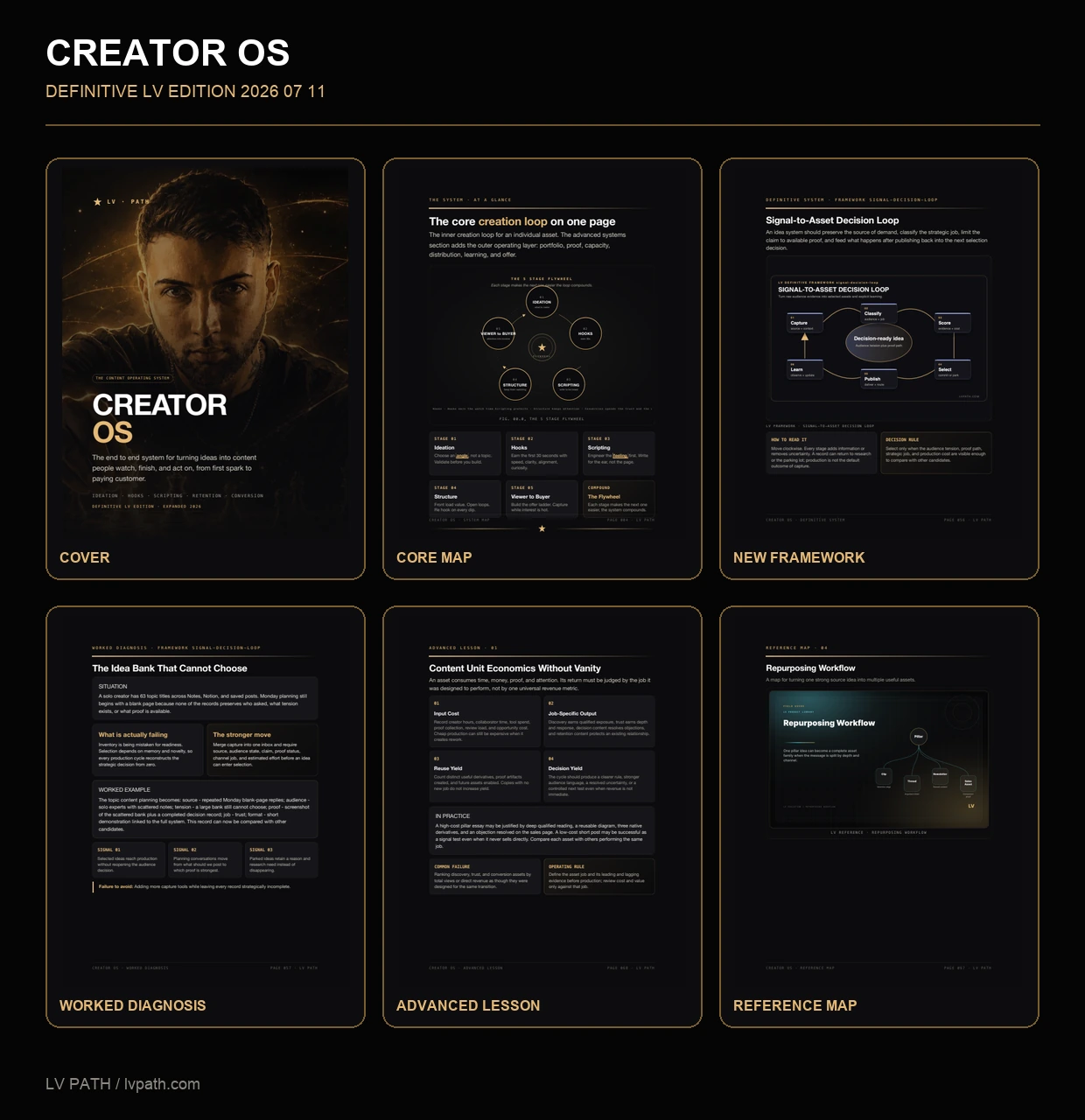
The main book teaches the complete system. The light edition, casebook, visuals, and tools extend it without turning the download into a collection of busywork.

01

Main book, LV edition

The primary deliverable: dense teaching, complete systems, psychology, examples, infographics, and application.

102 pages · PDF
02

Professional light edition

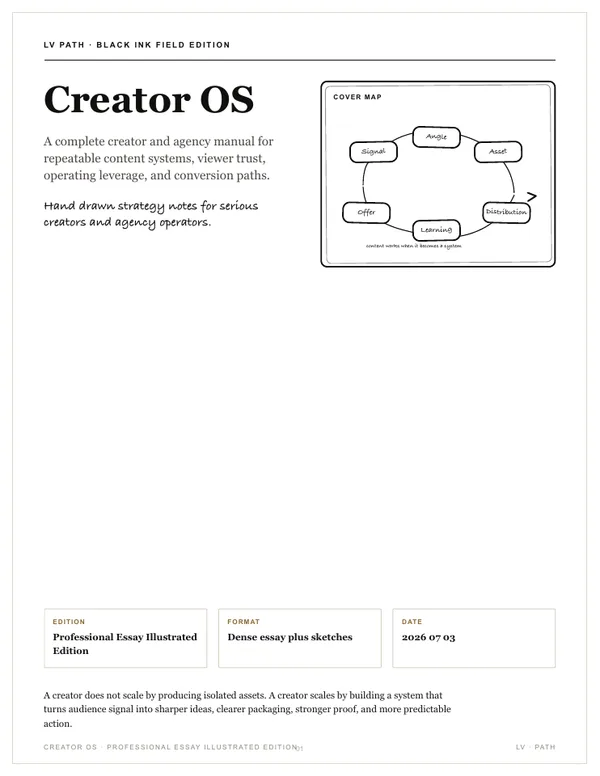
The same strategic core with a light background, monochrome diagrams, and typography for long reading or print.

81 pages · PDF
03

Annotated Casebook

Realistic cases with diagnosis, before/after, channel applications, and transferable rules.

55 pages · PDF
04

Visual Framework Pack

System diagrams for reference, team explanation, and quick application.

Maps + infographics
05

AI Workflow Pack + examples

Eight complete workflows with inputs, output contract, review, and responsible boundaries.

Markdown + CSV
06

Example library

Completed comparisons that show the decision behind a stronger version.

CSV
07

Editable workbook

Included for readers who want to document decisions. It does not replace the book or lead the experience.

Optional bonus · XLSX

238 pages across the three primary reads

Update policy ↗

Visual library

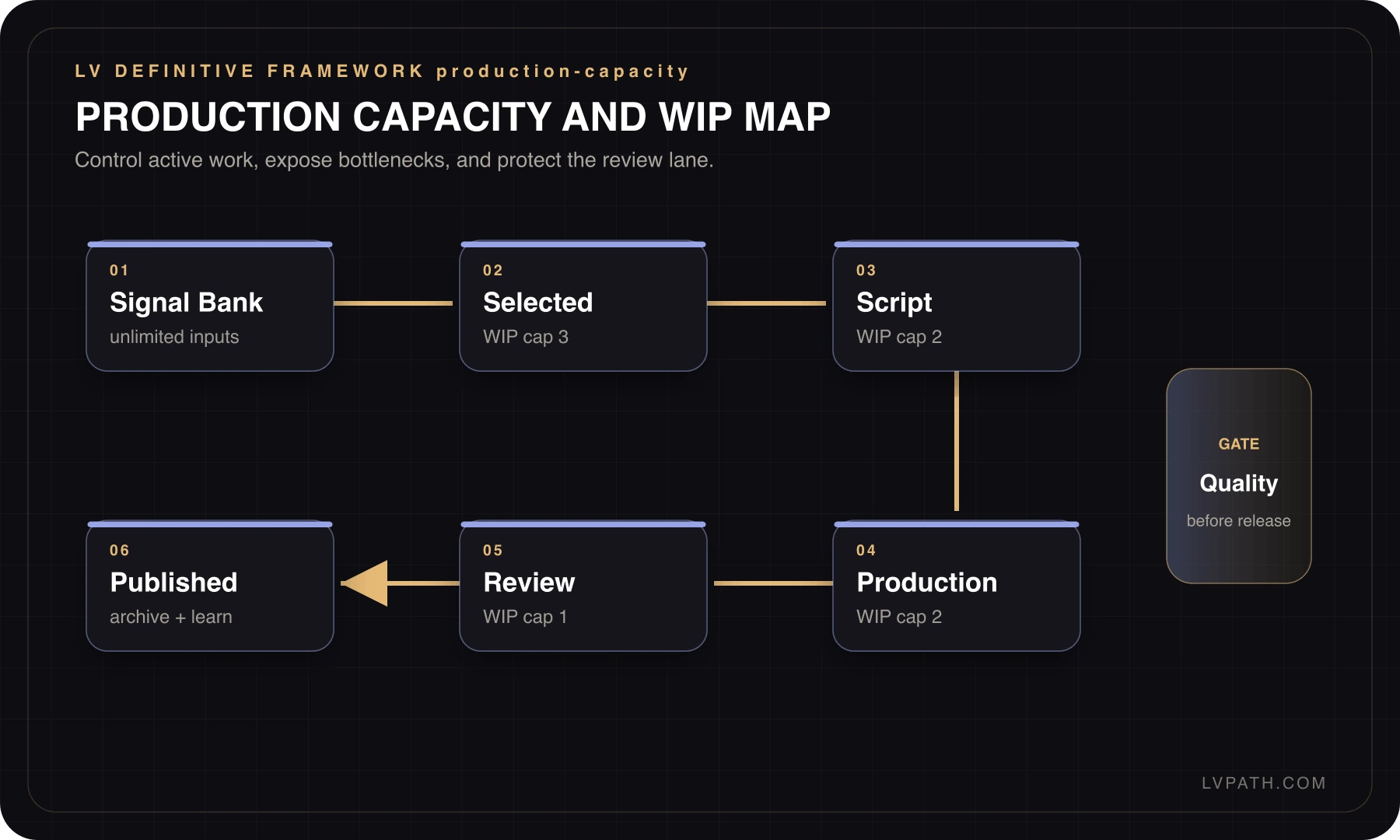
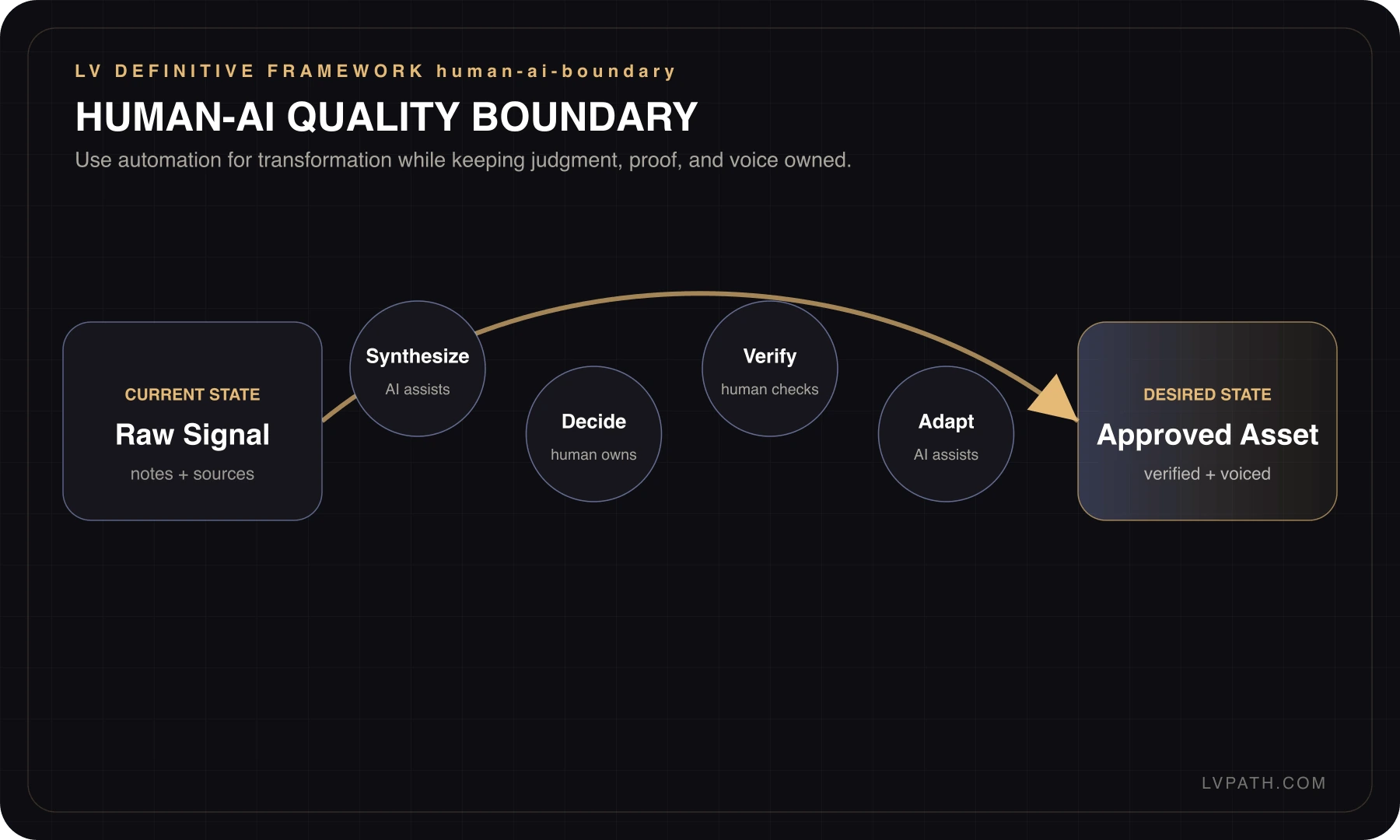
Maps that explain the system at a glance

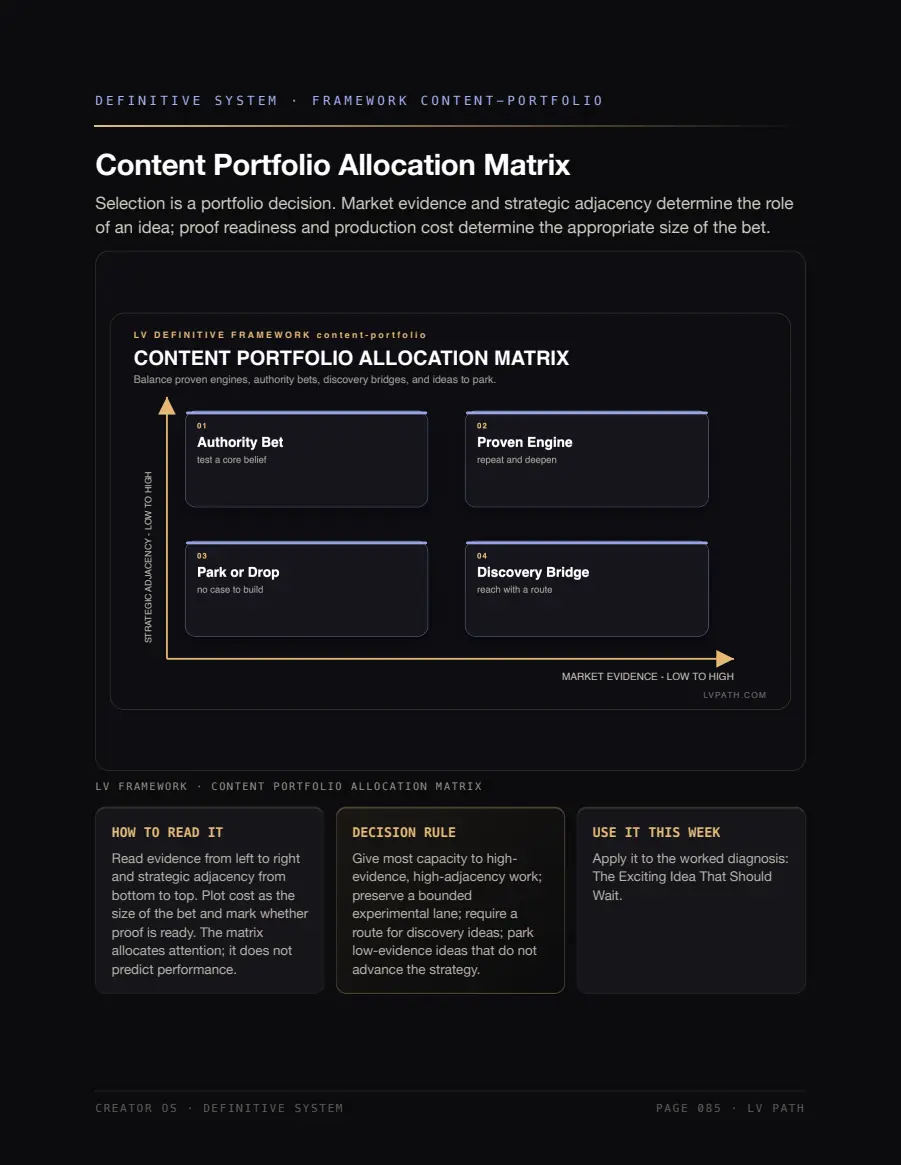
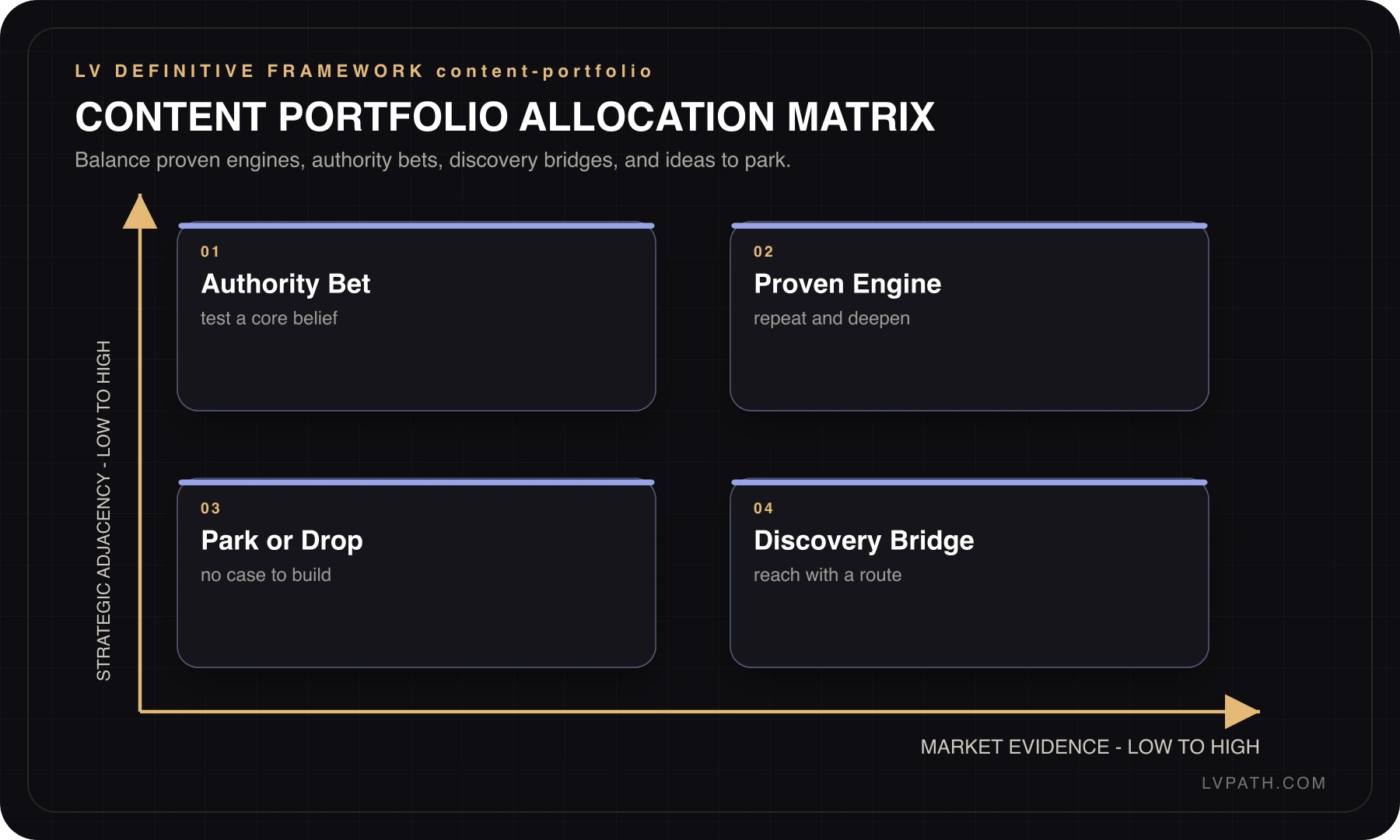
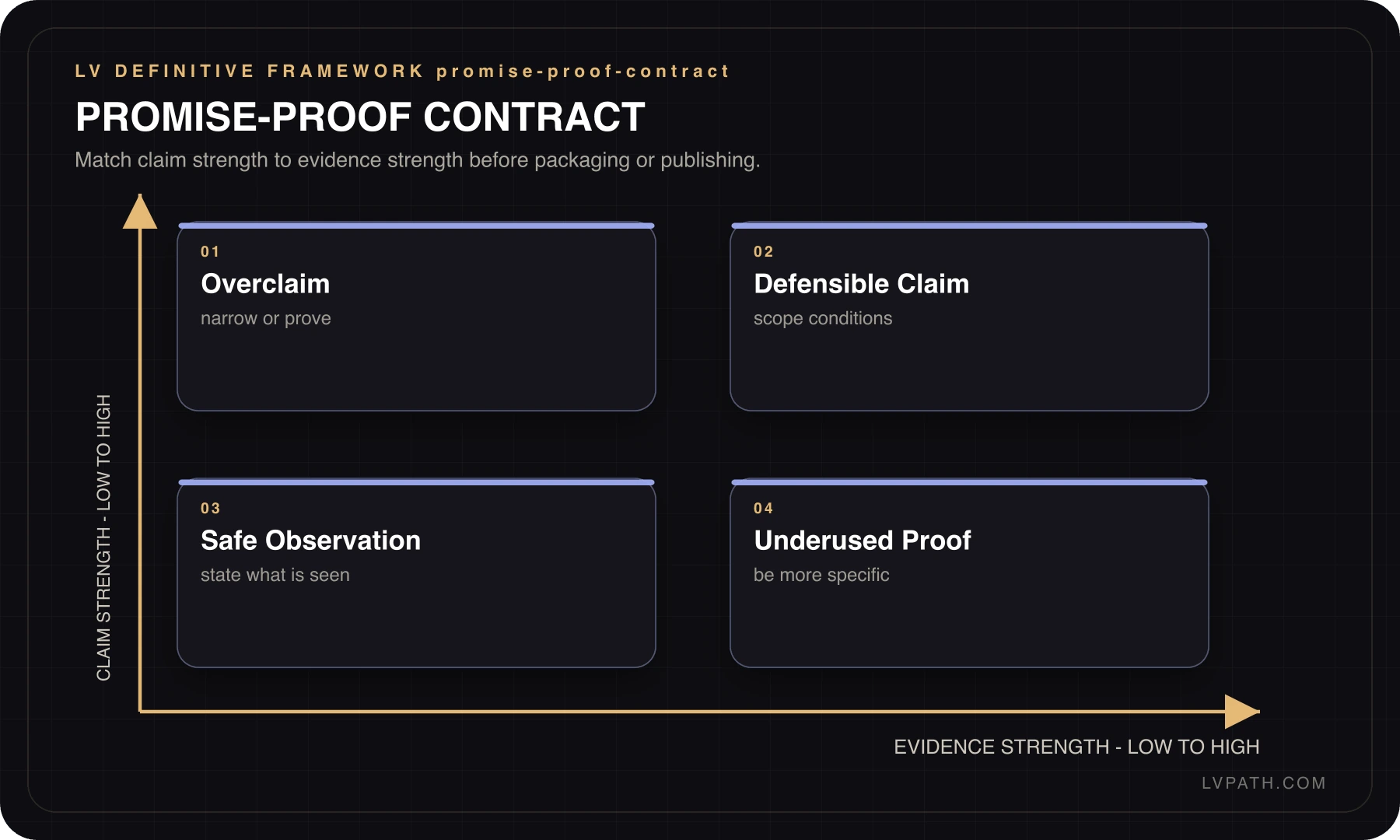
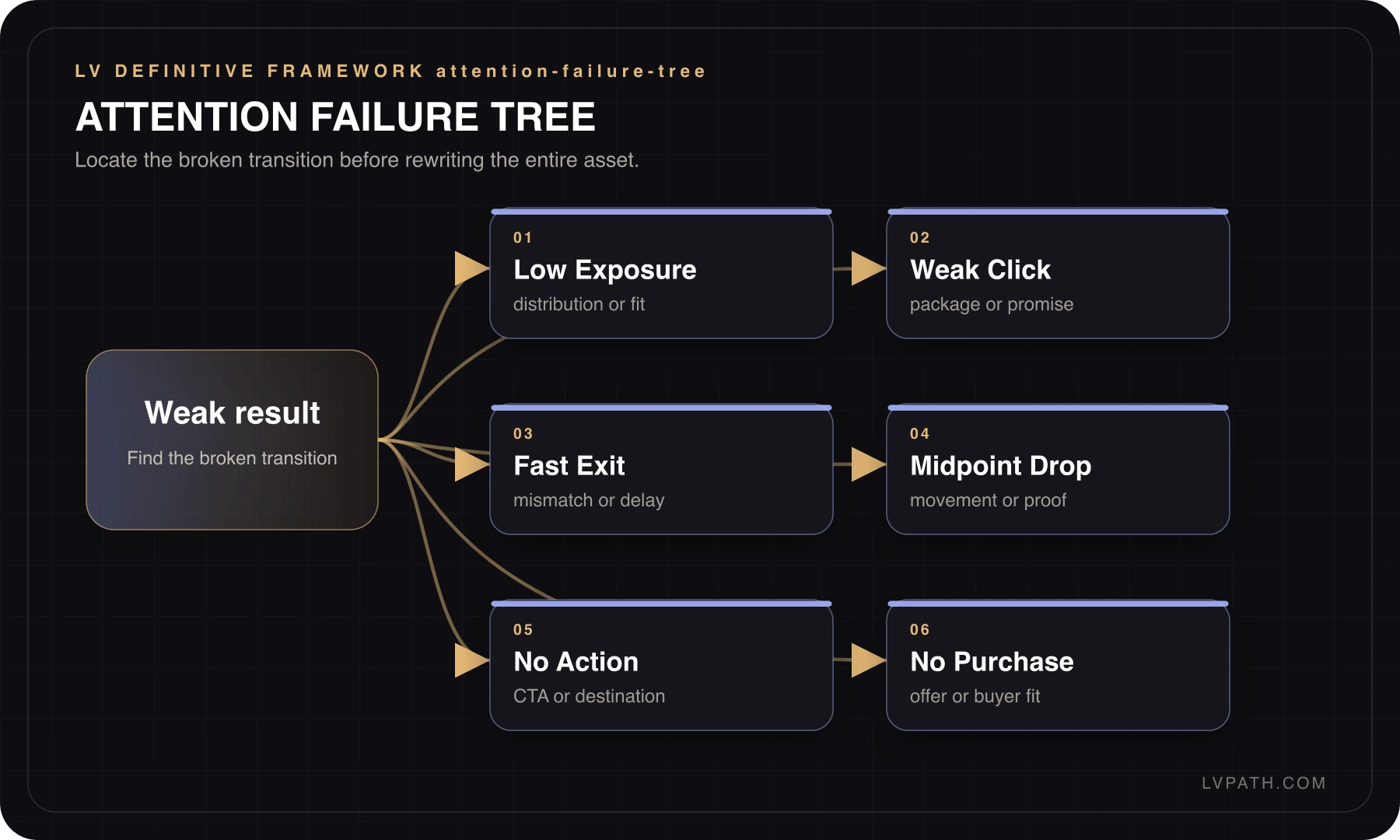
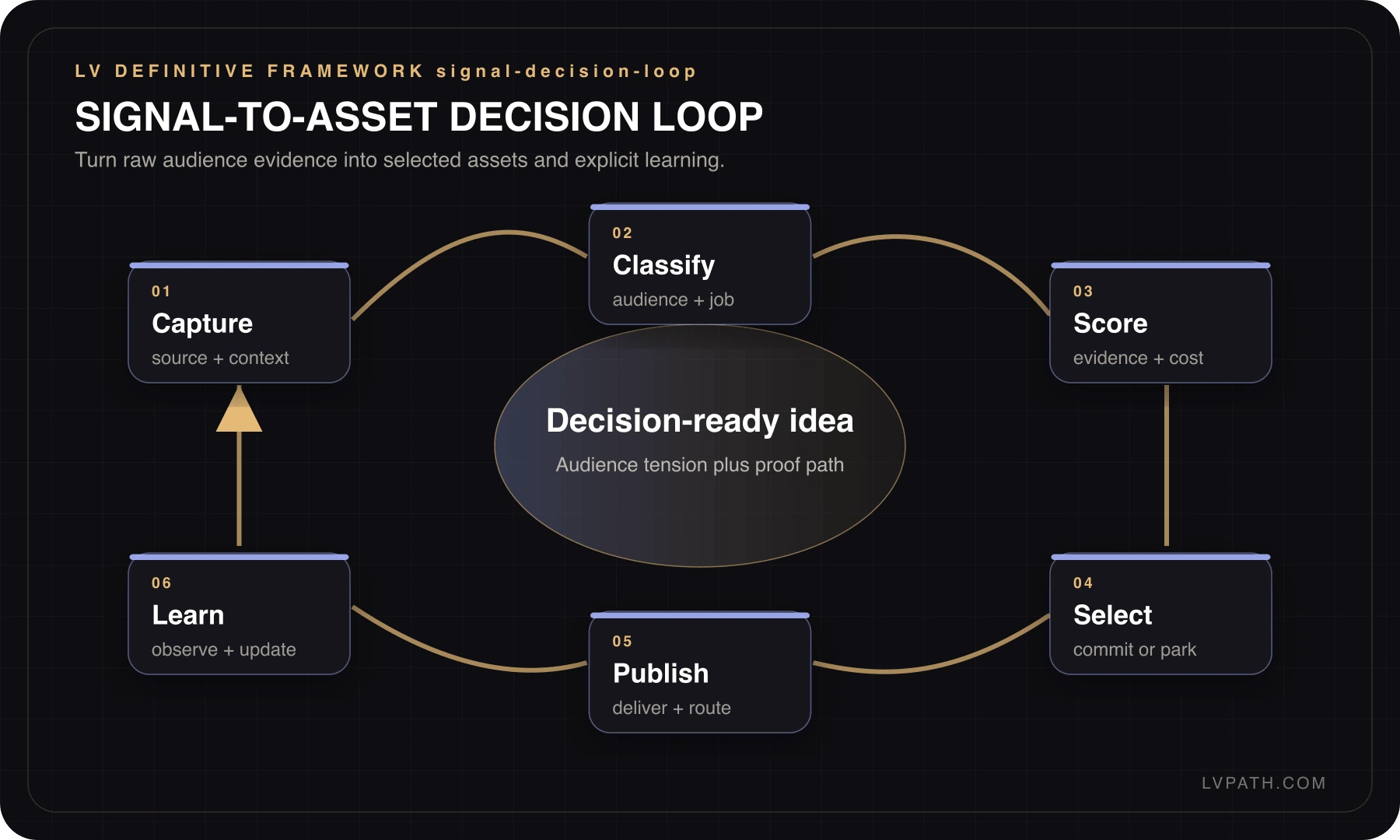
Every visual has a job: orientation, diagnosis, team explanation, or reference during execution. They are not filler decoration.

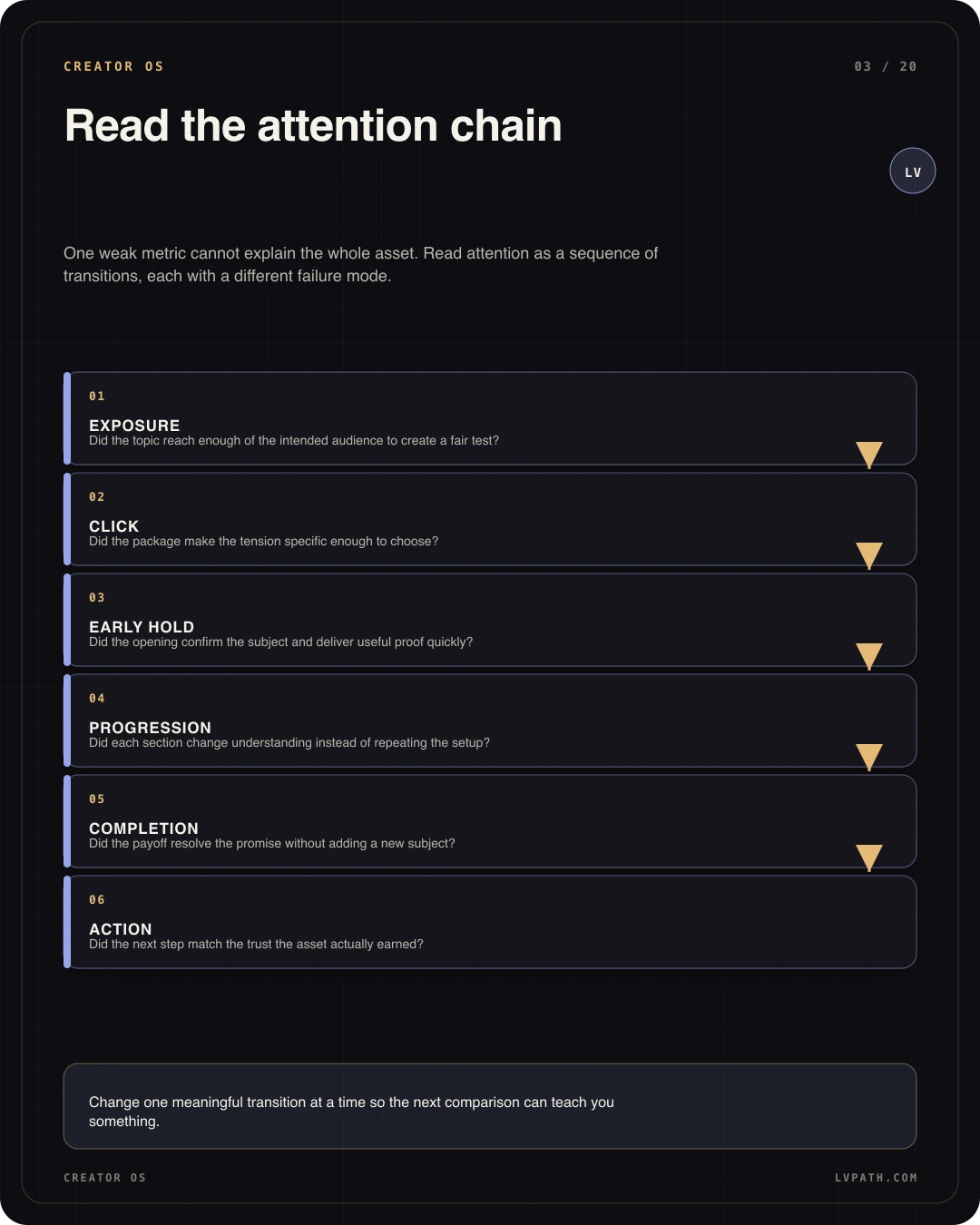
Creator OS framework 1
Creator OS01
Creator OS framework 2
Creator OS02
Creator OS framework 3
Creator OS03
Creator OS framework 4
Creator OS04
Creator OS framework 5
Creator OS05
Creator OS framework 6
Creator OS06

Visual world

The identity teaches too

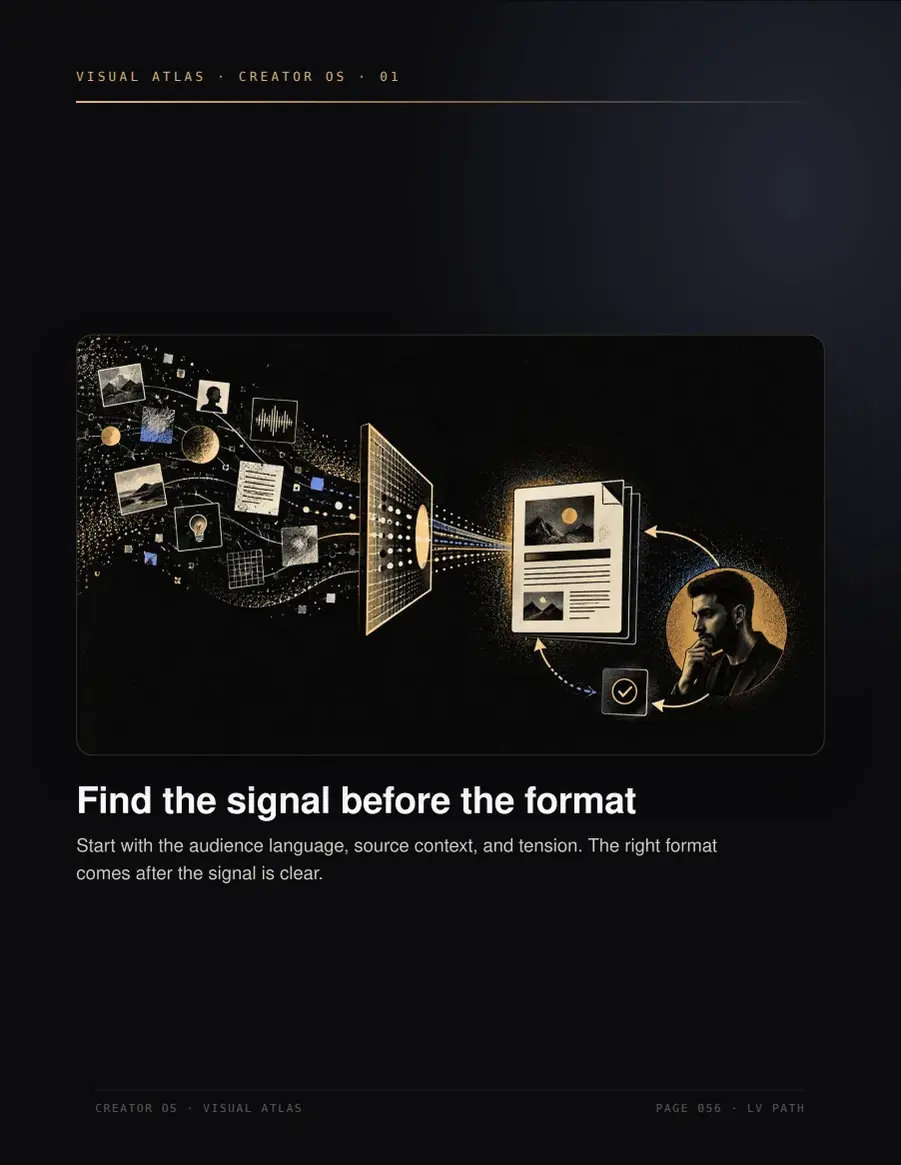
Motion, symbolic portraits, and section illustrations turn abstract concepts into signals the reader can recognize and remember.

Creator OS symbolic portrait
Creator OS story poster

Look inside

Inspect the system before you decide

These are real product pages. The free preview shows the structure, voice, and depth so you do not have to buy blind.

Inspect the real preview

Open the sample chapters now, or save the link to your inbox for later.

Open the free preview

Or send it to your inbox

Choose by bottleneck

Is this not your main constraint?

Questions before buying

Do I need any special tools?

No. Creator OS is a self-contained PDF product stack. Open it on any device, study the visual systems, and adapt the operating maps inside your own notes, docs, or content calendar.

Is this only for video or YouTube?

No. The system covers any format, video, short-form, newsletters, threads. The frameworks adapt to whatever you publish.

I'm just starting out, is this too advanced?

No. It's built to run from your very first piece. Beginners get a clear path; experienced creators get a system to tighten what already works.

How fast will I see results?

The value is immediate clarity, better structure, and a stronger review process for the next piece you publish. Performance still depends on your niche, offer, distribution, consistency, and audience fit.

Is Creator OS a course?

No. It is a self paced product stack built around PDFs, examples, visual systems, prompts, and resource references. You can study it like a manual and apply it inside your own notes, content calendar, or production process.

Can a content team or agency use it?

Yes, for internal strategy, briefing, production, and review. It helps teams share language around hooks, scripts, retention, quality, and conversion. It is not a resale license or a public template library.

Does Creator OS work with AI tools?

Yes. The prompts and review systems can support AI assisted ideation, drafting, rewriting, and repurposing. The core value is judgment: knowing what to ask for, what to reject, and what to improve before publishing.

Your next cycle

Stop rebuilding the system every week

In 30 days you will have a weekly operating path, hook and script standards, a quality gate, and a rulebook that removes avoidable decisions.

Open the free preview

$59 · one-time · digital download

Copied